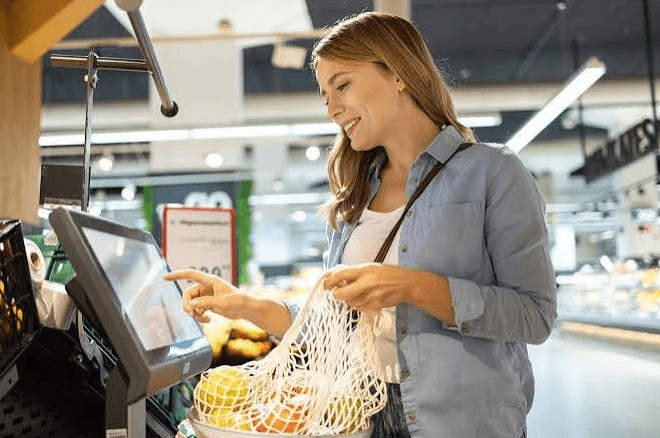
Every retailer considering self-service technology eventually asks the same practical question: will this actually save money, or just shift costs around? The honest answer depends heavily on your store’s transaction volume, staffing model, and customer base. Self-Checkout Kiosks can meaningfully reduce labor costs over time, but the upfront investment and ongoing oversight requirements deserve a clear-eyed look before you commit budget to a rollout.
What You’re Actually Paying For
Self-checkout hardware costs more upfront than a standard register, factoring in the touchscreen, scale, bagging area, and payment terminal built into each unit. Software licensing and ongoing maintenance add to the monthly cost as well. It’s rarely a cheaper option in the first year, so the return on investment needs to come from labor efficiency over time rather than an immediate cost reduction.
Where the Labor Savings Actually Show Up
The efficiency gain comes from staffing ratio, not headcount elimination. A single trained attendant overseeing a bank of four to six kiosks can process roughly the same guest volume that would otherwise require several separate cashiers working individual lanes. Over a full year, this shift can meaningfully reduce labor hours during predictable low-complexity shopping periods.
The Oversight Cost Nobody Talks About Enough
Self-checkout doesn’t run itself. Someone still needs to verify ages for restricted purchases, resolve item-not-recognized errors, and watch for accidental or deliberate under-scanning. Underestimating this ongoing labor need is one of the most common mistakes retailers make when budgeting for a self-checkout rollout, leading to either theft losses or a frustrating customer experience when no help is nearby.
Comparing Vendors on Total Cost of Ownership
Two self-checkout systems with similar sticker prices can differ significantly once you account for maintenance contracts, software update fees, and how quickly the vendor can send a technician if a scale or scanner malfunctions during business hours. A cheaper unit that sits broken for two days during a busy week can cost more in lost transactions than a slightly pricier system with faster support turnaround.
It’s worth asking any vendor directly about average repair response times and whether loaner units are available during longer repairs, since a bank of kiosks with even one unit down for an extended period creates the exact bottleneck self-checkout was meant to solve in the first place.
Transaction Speed: Faster or Just Different?
For simple purchases, self-checkout is genuinely faster for the customer, since they’re not waiting behind someone else’s transaction. But for shoppers unfamiliar with the technology or dealing with a produce item lacking a clear barcode, self-checkout can actually take longer than a trained cashier would. The net speed benefit depends heavily on your typical basket size and product mix.
Impact on Customer Experience and Loyalty
Some shoppers genuinely prefer the control and speed of scanning their own items, while others miss the personal interaction of a staffed lane. Retailers who keep a healthy balance of both options, rather than pushing customers exclusively toward kiosks, tend to see fewer complaints and retain a broader customer base across different preferences and comfort levels with technology.
Periodically surveying customers, even informally by asking a few regulars what they think, can surface preference shifts before they show up as a decline in overall satisfaction scores or, worse, foot traffic heading to a competitor down the street.
Calculating Your Own Break-Even Point
To estimate whether self-checkout makes financial sense for your store, compare your current labor cost per transaction against the projected labor cost with kiosks in place, factoring in the hardware and software investment spread over its expected lifespan. Stores with consistently high transaction volume and a large share of simple, barcoded purchases tend to see the fastest payback.
See also: PCredCom: Change the way you buy Tech and Electronics in Mexico
A Realistic Rollout Timeline
Most retailers see the clearest labor savings emerge six months to a year after installation, once staff have been reassigned to other tasks and customers have adjusted to using the kiosks regularly. Expect a learning curve in the early weeks, and budget staffing accordingly rather than immediately cutting labor hours the day the kiosks go live.
Tracking a few simple metrics from day one, average transaction time, attendant intervention rate, and customer adoption percentage, gives you concrete data to judge progress against, rather than relying on a general sense of whether things feel like they’re going well.
Final Thoughts
Self-checkout can be a genuinely smart investment, but it’s not free money from day one. Go in with realistic expectations about the upfront cost, the ongoing oversight labor it still requires, and the gradual timeline for seeing real savings, and you’ll be far better positioned to judge whether it’s the right fit for your specific store. Retailers who approach the decision with clear numbers rather than assumptions tend to be the ones who end up satisfied with the outcome a year later.